



 ไทย
ไทย English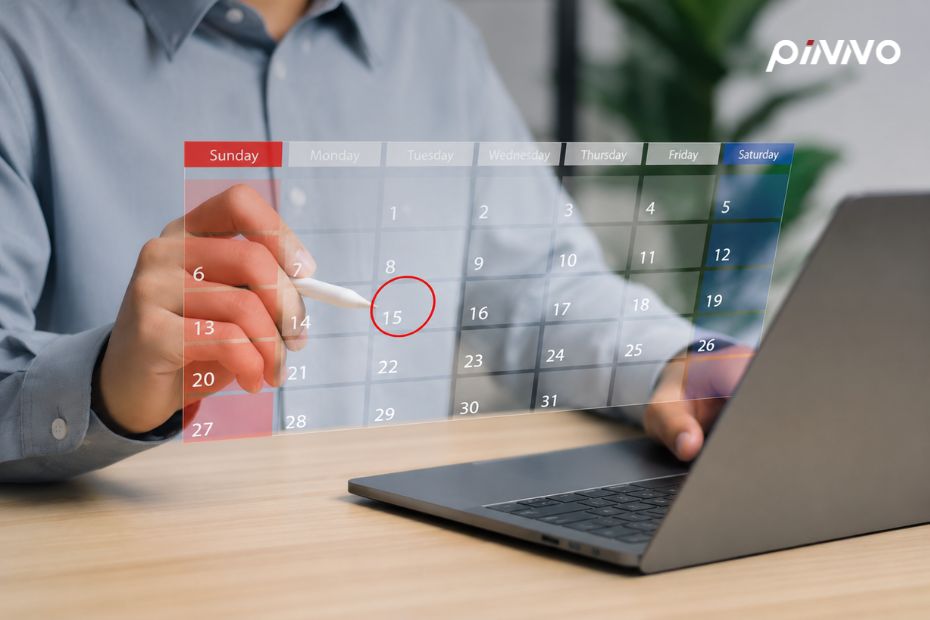
A solid Leave Management system supports all 8 leave types defined by Thai labor law, with mobile approval workflows, real-time leave balance calculations, document capture for supporting evidence, and direct payroll integration that handles unpaid leave deductions automatically. Mid-sized organizations (100–500 employees) that move from paper-based leave handling to an online system reduce HR processing time by over 80% and virtually eliminate disputes from miscounted leave days.
Manual leave management (paper, LINE, or Google Form) creates the same problems HR sees over and over: lost leave slips, calendars that don’t sync with payroll, miscounted balances, wrong approver, and year-end disputes over whether employees exceeded their entitlement. This guide consolidates how to design an online leave system that works in practice under Thai labor law, and that employees won’t quietly revert to paper once it’s launched.
💡 What is Leave Management?
Leave Management is the system that handles the full leave life cycle: defining entitlements from policy and law, receiving requests, routing approval workflows, recording outcomes, notifying related teams, syncing with calendar and payroll, and producing annual summaries. A good online leave system runs on mobile, includes notifications, and removes the need for HR to re-enter data.
Why Manual Leave Handling Doesn’t Fit Mid-Sized Organizations
In organizations of 30–50 employees, paper or LINE-based leave handling still works. A single HR person can remember who took how many days. But once the organization grows into the mid-sized range (100–500 employees), four problems start affecting operations seriously.
Numbers HR teams in mid-sized organizations should know:
- HR teams using manual leave management spend an average of 12 hours per month just consolidating leave records and verifying entitlements (Mercer Total Workforce Management Thailand 2024)
- 41% of yearly HR-employee disputes involve mismatched leave balances (JobsDB Workforce Survey Thailand 2024)
- Organizations that move to online leave management cut leave processing time by an average of 80% in the first quarter (Deloitte HR Technology Trends 2025)
The first problem with manual systems is no single source of truth: paper slips with HR, calendars with managers, balances in a spreadsheet, and these three never stay in sync, producing frequent errors. The second is no approval audit trail: when an employee claims their manager approved a leave but the manager doesn’t remember, there’s no record to verify either side.
The third is HR repeating the same steps: entering leave into the accounting system, notifying affected teams, updating the calendar, recalculating balances. All of this is manual work. The fourth is slow approvals: a paper leave slip sits on a manager’s desk for 3–5 days, the employee has no visibility, and planning becomes impossible.
The 8 Leave Types Thai Labor Law Requires the System to Support
A good online leave system must support every leave type defined by Thai law, including entitlement calculation, payment rules, and supporting document handling, per the Labor Protection Act B.E. 2541 and subsequent amendments.
Type 1: Annual Leave (Section 30) Employees who have worked one full year are entitled to at least 6 working days of annual leave per year, paid in full. Many organizations grant additional days based on tenure, such as 10–15 days per year for senior staff. The system must calculate entitlement per organizational policy.
Type 2: Sick Leave (Section 32) Employees may take sick leave as needed, but employers are required to pay only up to 30 working days per year. Any sick leave of more than 3 consecutive days requires a medical certificate. The system should let employees upload certificates directly from mobile.
Type 3: Maternity Leave (Section 41) Entitled to 98 days (including weekly rest days). Employers pay for up to 45 days; the remainder is covered by Social Security. The system must calculate the period and record the expected return date.
Type 4: Personal Leave (Section 34) Employees are entitled to 3 paid days per year as a minimum. Many organizations offer more under their own policy. The system should support flexible configuration.
Type 5: Military Service Leave (Section 35) Up to 60 days per year, with full pay throughout the period. The system must record the call-up notice and supporting evidence.
Type 6: Training Leave (Section 36) Up to 30 days per year, subject to employer conditions. Typically unpaid.
Type 7: Sterilization Leave (Section 33) Per medical certificate. Paid.
Type 8: Other Personal Leave Defined by company policy, such as marriage leave, ordination leave, paternity leave, or bereavement leave. The system should allow each organization to define its own policy.
5 Steps to Design a Leave Workflow Employees Actually Use
Workflow design determines whether the system gets real usage or quietly fails. Use these five steps to design the workflow end-to-end, from request to payroll.
Step 1: Apply (from mobile)
The employee picks a leave type, sets dates (full day / half day / multi-day), records a reason (optional or required per policy), and attaches supporting documents if needed, such as a medical certificate or call-up notice. The system shows the real-time leave balance to prevent over-entitlement requests. A good system integrates with Employee Self-Service as the employee’s primary access channel.
Step 2: Approve (Multi-Level)
The request routes directly to the manager with a notification and a deadline (for example, 24 hours). If the manager doesn’t respond by the deadline, the system escalates to HR. For leave of more than 5 days, or for maternity leave, two-level approval may be required (manager + HR Manager).
Step 3: Notify (Auto-Sync)
On approval, the system notifies relevant parties: teammates, HR, and the calendar (Google Calendar, Outlook, LINE Calendar) automatically. Leadership sees who is out and when without having to ask.
Step 4: Record (Audit Trail)
The system logs every step: submission time, approval time, approver, comments. This audit log supports compliance reviews and after-the-fact disputes. The system connects to Time Management to track actual working hours.
Step 5: Carry-Over + Annual Reset
At year-end, the system calculates remaining leave and applies carry-over per policy (some organizations allow accrual, some don’t). It sends each employee a summary of next-year entitlement, and provides finance with the data needed for accrued leave liability accounting.
Edge Cases HR Commonly Mishandles
Beyond the standard workflow, four edge cases need planning in advance. Without them, expect disputes or unintentional compliance violations.
The first is leave that spans two months, such as a leave from Feb 28 to Mar 5. The system must decide which payroll cycle it falls into and calculate the balance correctly. Most organizations use the “leave start date” as the payroll cycle anchor, but this must be configured explicitly.
The second is half-day leave (Half-Day Leave). The system must support morning (8:30–12:00) or afternoon (13:00–17:30) slots counted as 0.5 day. Some organizations allow 4 half-days to equal 1 full day; others restrict it to 2. The configuration must reflect policy.
The third is emergency leave (back-dated). When an employee falls ill suddenly and can’t apply in advance, the system must allow back-dated entries within a defined window (typically 3 working days), with document attachment. The system should distinguish “Self-reported” from “Officially approved” for audit purposes.
The fourth is leave beyond entitlement (Unpaid Leave). When an employee exceeds paid entitlement, the system must flag this immediately at the apply stage and calculate the salary deduction for payroll automatically, without requiring HR to compute it manually.
Connecting Leave Management to Payroll Automatically
The greatest value from online leave management comes when the data flows directly into Payroll Automation without monthly export-import. Three items must sync automatically.
The first is deductions for leave beyond entitlement: when employees exceed paid leave (for example, sick leave beyond 30 days per year), payroll deducts the excess automatically. The second is Social Security compensation: for maternity leave beyond 45 days, the system calculates what Social Security will pay. The third is Accrued Leave Liability: a report showing remaining leave days for every employee multiplied by their average wage, so finance can record the liability on the balance sheet.
About Pinno
Pinno is a Thailand-built HR Cloud Software developed by Pinno Solutions Co., Ltd. under the PRTR Group, a leading HR solutions provider in Thailand for more than 30 years. Today, more than 20,000 organizations trust Pinno across Payroll, Time, Benefits, Performance, and Employee Self-Service in a single platform. Website: https://pinno.io
Frequently Asked Questions (FAQ)
Q: Can annual leave be carried over? What does Thai law require?
A: The Labor Protection Act does not prohibit accrual, nor does it require it. The decision is the employer’s policy. Most Thai organizations allow accrual of up to 1–2 years to avoid excessive accrued liability. When employees leave, the employer must pay for accrued but unused leave days (Section 67).
Q: Can the online leave system support different policies by role?
A: A good system must. Most Thai organizations set policy by tenure (Junior 10 days, Senior 12 days, Manager 15 days) or by job level. An enterprise-grade online leave system should support a complex policy matrix without requiring custom code.
Q: Can employees without a company email use the system?
A: A good online leave system must support login via mobile number + SMS OTP, or LINE Login. For factory or blue-collar workers without a company email, administrators can create accounts in advance using the tax ID as the identifier.
Q: What should happen if a manager doesn’t approve a request within the deadline?
A: A good online leave system must include an escalation rule. For example, if the direct manager doesn’t approve within 24 hours, the system escalates to the manager’s manager or HR. For emergency leave (sudden illness), the system should auto-approve and notify the manager afterwards, so the employee’s entitlement isn’t compromised.
Ready to replace paper-based leave with an online system? Book a free demo to see Leave Management configured end-to-end with Time Management and Payroll in a single platform.
Let Pinno Take Care of Your HR
HR Cloud Software trusted by 20,000+ organizations in Thailand