



 ไทย
ไทย English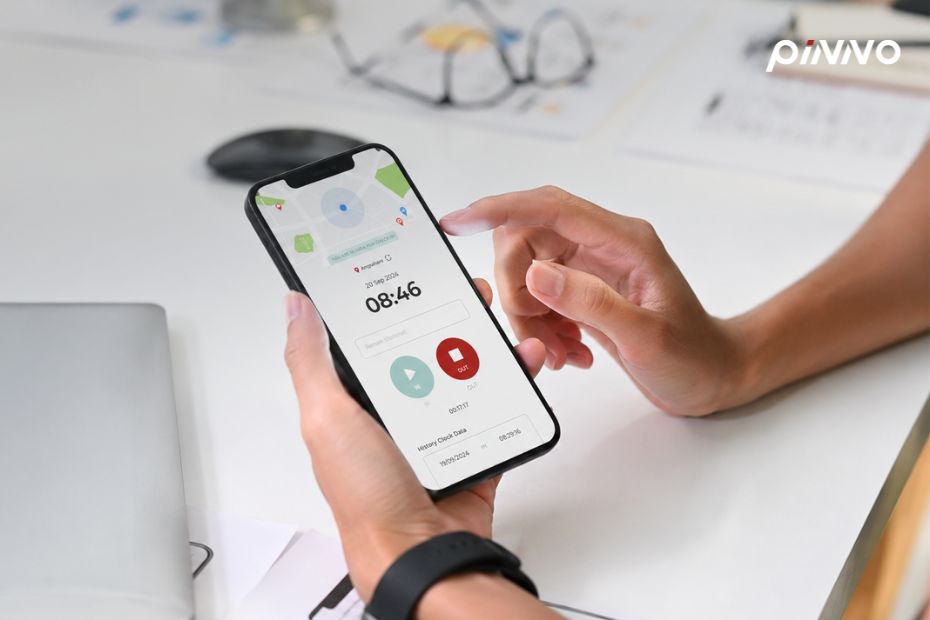
Employee Self-Service (ESS) is a portal that gives employees direct access to manage their own HR data through mobile or web — viewing payslips, requesting leave, updating personal information, tracking KPIs, submitting expense claims, and downloading documents. Mid-sized organizations (100–500 employees) that implement ESS reduce repetitive question handling by 60–70%, improve employee engagement, and satisfy PDPA requirements around data subject access in one move.
A significant share of HR’s weekly hours goes to the same questions repeated again and again — “How many leave days do I have left?”, “Can I get my February payslip?”, “How do I change my phone number?”, “What will my bonus be?” These are questions the system should answer directly for employees, without HR acting as the middleman. This pattern shows up in every organization without an ESS portal and is a leading cause of HR burnout. This guide consolidates everything HR needs to know before implementing ESS.
💡 What is an ESS Portal?
Employee Self-Service (ESS) is a portal designed to let employees handle their own HR transactions without going through HR as a middleman. It covers routine tasks: view payslips, request leave, update personal information, see KPI scores, request certificates, and submit expense claims. ESS runs on mobile (iOS, Android) or web, with notifications and approval workflows that complete in a single app.
Why ESS Is a “Must-Have” for Mid-Sized Organizations
In an era where Gen Z and Millennial employees expect a digital workplace experience on par with consumer apps, ESS is no longer “nice-to-have” — it’s the standard mid-sized organizations need to retain talent and reduce HR burnout.
Numbers HR teams in mid-sized organizations should know:
- 67% of the questions HR answers weekly are repeat questions the system should handle automatically — Mercer Total Workforce Management Thailand 2024
- Organizations that implement ESS cut HR admin time by an average of 65% in the first year — Deloitte HR Technology Trends 2025
- 82% of employees in Thailand check their payslips through mobile at least once per month — JobsDB Workforce Survey Thailand 2024
In a mid-sized organization of 100–500 employees with an HR team of 3–6 people, answering every individual employee question consumes over 50% of the week — time that should go to strategic work: talent development, retention strategy, compliance review. ESS unlocks that bandwidth so HR can refocus on the work that matters.
8 Core Features of a Good ESS Portal
Before evaluating any ESS, HR should confirm these eight features are present. They’re what determines whether employees actually use the system — not just whether it gets installed.
Feature 1 — Payslip Viewer + Download
Employees see unlimited historical payslips and download them as PDF, with full breakdown — base salary, OT, deductions, withholding tax, social security. This single feature reduces requests for historical payslips to HR by over 90%.
Feature 2 — Leave Management
Submit leave requests from mobile, see remaining leave balance in real time, get approval status via notifications, and view leave history. A solid ESS supports all Thai leave types — annual, sick, maternity, personal — and connects to Time Management.
Feature 3 — Personal Information Update
Employees update their own data — address, phone number, emergency contact, family status (marriage, children) — with approval workflows for changes that affect payroll, such as tax deductions. The system logs every change for audit purposes, feeding into Employee Profile.
Feature 4 — Tax Deduction Declaration
Employees update their tax deduction declaration (Lor Yor 01) online at the start of every year or when status changes (marriage, new child, life insurance). The next month’s tax calculation adjusts automatically — reducing errors and avoiding retroactive recalculations at year-end.
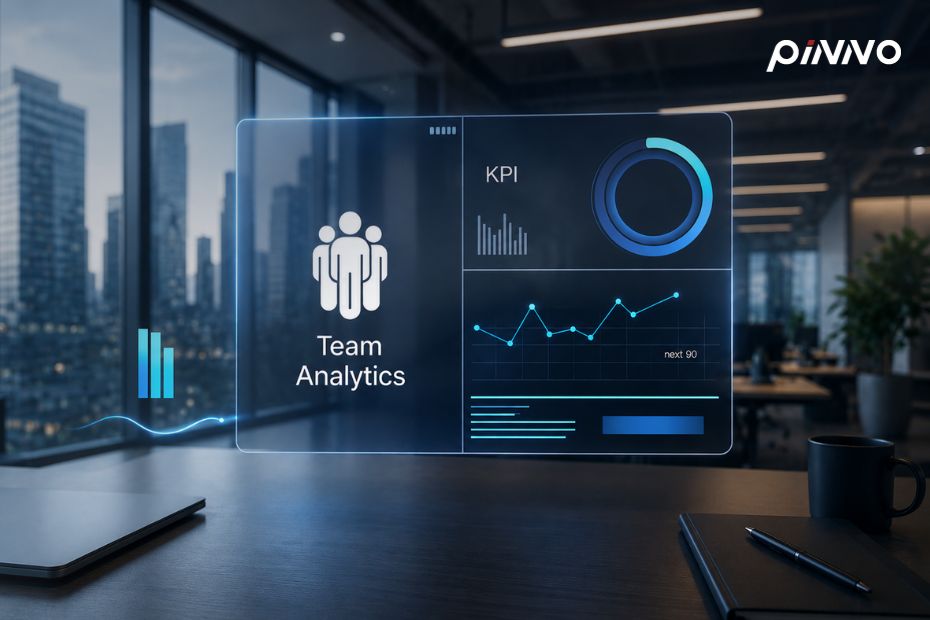
Feature 5 — Performance & KPI Visibility
Employees see their own KPI/OKR progress in real time, receive feedback from managers and 360-degree peers, and view goals and deadlines clearly. This feature integrates with Performance Management, creating transparency and reducing the “I don’t know how I’m doing” anxiety.
Feature 6 — Expense Claim & Reimbursement
Submit expense claims from mobile — snap a photo of the receipt, fill in details, submit, get approval, receive payment to your bank account — all in one app. Useful for travel, medical, training, and equipment expenses.
Feature 7 — Document & Certificate Request
Request common HR documents — employment certificates, salary verification letters, employment contract copies — through the portal. The system generates documents automatically; employees download them immediately instead of waiting 1–2 days for HR to produce them.
Feature 8 — Notification & Announcement Hub
HR sends announcements, training invitations, and new policies through the portal with push notifications. Employees get news quickly without missing it, and the system tracks who has read what — useful for policy acknowledgments that need audit-grade records.
ROI: Cutting HR Admin Time by 60–70%
Before pitching ESS to executives, HR needs to calculate a tangible ROI. Consider a mid-sized organization of 200 employees with an HR team of 4 people earning an average of 45,000 THB per month — baseline numbers for the business case.
Before ESS:
- HR spends 60% of the week on admin work (answering questions, issuing documents, consolidating leave requests)
- Labor cost lost to admin: 4 people × 45,000 × 0.6 = 108,000 THB/month
- Annual total: 1,296,000 THB/year
After ESS (65% reduction):
- Admin time drops to 21% of the week
- Labor cost for this work: 4 × 45,000 × 0.21 = 37,800 THB/month
- Savings: 70,200 THB/month or 842,400 THB/year
Cloud ESS pricing in Thailand is roughly 150–250 THB per user per month. For 200 employees, that’s 30,000–50,000 THB/month — meaning payback within one month of operation.
That number excludes the harder-to-quantify benefits — reduced employee turnover (more engaged employees), fewer payroll errors, lower compliance risk, and more strategic capacity for the HR team.
How to Implement ESS So Employees Actually Use It
The single most common ESS failure mode is “installed but nobody uses it” — adoption rates below 50% in the first month. HR needs a five-step plan to drive acceptance and real usage.
Step 1 — Pilot Group + Champion Network (Week 1–2)
Pick 15–20 employees across multiple teams who are tech-savvy and have influence within their teams. Let them test the system for two weeks. They become “ESS Champions” who answer questions and advocate for adoption within their own teams.
Step 2 — Communication Campaign (Week 3)
Send email + LINE OA one week before launch. Frame the benefits from the employee’s perspective (not the company’s) — “view payslips instantly,” “request leave from mobile without paperwork.” Create a 2–3 minute tutorial video explaining usage.
Step 3 — Soft Launch + Quick Wins (Week 4)
Start with the highest-frequency, highest-impact features — payslip viewer and leave applications. Gradually close the old channels (LINE-distributed payslips, paper leave forms) to “force” adoption, while keeping support standby.
Step 4 — Add Features Gradually (Month 2)
Roll out additional features in waves — expense claims, certificate requests, performance views — each with its own communication and a short training. Don’t open everything at once; that overwhelms employees.
Step 5 — Measure + Optimize (Month 3+)
Track four metrics: adoption rate (% of employees using at least once per month), feature usage (which features are used most), HR ticket reduction (volume of questions HR still handles), and satisfaction score (employee sentiment). Refine based on what you find.
ESS and PDPA — What HR Must Watch
ESS stores and processes a large amount of employee Personal Data — payslips, personal information, leave records, training history. HR must watch four critical PDPA considerations.
The first is strong authentication — ESS must use 2FA (two-factor authentication) as standard. A password alone is insufficient for sensitive data. 2FA via SMS or authenticator app reduces risk from credential stuffing attacks.
The second is data residency — verify which data center the vendor uses (Thailand, Singapore, AWS region). PDPA doesn’t prohibit transferring data outside the country, but it requires a legal basis and adequate safeguards. Choosing a vendor with Thai data residency reduces compliance complexity.
The third is data subject access — an ESS is itself a tool that helps employees access their own data, which addresses PDPA Section 30 (right of access). But HR must verify the system can “export all data of a single employee” in a readable format when a request comes in.
The fourth is audit log + retention — every ESS access must be logged, recording who viewed what data and when. Keep logs for at least one year. The retention policy for employee data must align with PDPA — 5 years post-departure for basic records, 10 years for tax documents.
About Pinno
Pinno is a Thailand-built HR Cloud Software developed by Pinno Solutions Co., Ltd. under the PRTR Group — a leading HR solutions provider in Thailand for more than 30 years. Today, more than 20,000 organizations trust Pinno across Payroll, Time, Benefits, Performance, and Employee Self-Service in a single platform. Website: https://pinno.io
Frequently Asked Questions (FAQ)
Q: Does ESS need a mobile app, or is web enough?
A: Both is ideal. If forced to choose one, mobile matters more — 82% of employees in Thailand access ESS through mobile as the primary channel. A solid ESS should offer responsive web + native mobile apps with feature parity, not a stripped-down mobile version with limited functionality.
Q: What if some employees don’t have smartphones?
A: A good ESS supports web access from office computers or kiosks. Organizations can install self-service kiosks in canteens or key factory locations for employees without smartphones, with HR staff on standby for manual requests as a fallback.
Q: What’s a healthy ESS adoption rate?
A: First-month target: 60%+ of employees using the system at least once. Third-month target: 85%+. If adoption stays below 70% after three months, that signals a UX, communication, or feature-fit problem — investigate and adjust.
Q: Does ESS replace HR entirely?
A: No, and it shouldn’t. ESS replaces HR’s transactional work (payslips, leave, certificates) — not the relational work (counseling, conflict resolution, career development). The goal is to free HR for work that requires human judgment, not to reduce HR headcount.
Q: How long does a full ESS implementation take?
A: Typical implementation: 8–12 weeks — 2 weeks for setup and data migration, 4 weeks for pilot and soft launch, 4–6 weeks for full roll-out and optimization. Organizations with complex integrations (payroll, banking, AD) should budget additional time.
Ready to launch Employee Self-Service in your organization? Book a free demo to see Pinno ESS in action, integrated directly with Payroll, Time Management, and Performance Management in a single platform.
Let Pinno Take Care of Your HR
HR Cloud Software trusted by 20,000+ organizations in Thailand